Clash for Android Download & Installation Guide
The original Clash for Android by developer Kr328 stopped updating at the end of 2023. This repository is a backup.
Clash for Android Download
| Platform | Version | Proxy Accelerated | Direct GitHub |
|---|---|---|---|
| Android | 2.5.12 | Download | Download |
Note:
Proxy Accelerated: Use a jump proxy to speed up access to GitHub. If direct GitHub is too slow, try Proxy Accelerated download.
Installation Steps
1. Install the Application
- It is strongly recommended to switch to Clash Meta for Android↗, which is the successor to Clash for Android. The community is more active, and the usage habits are the same.
- If you are using HarmonyOS, consider the dedicated mobile client Clash Box↗
2. Get a Subscription
⚠️ Important:
Please note that Clash for Android is a proxy tool, not a proxy service provider. Installing it alone does not enable internet access. You need a how-choose-service (service provider) to get started. If you are unsure how to choose a provider, read How to Choose the Right Provider↗.
If you don't have a how-choose-service yet, Learn how to choose a provider↗
- Log in to the provider's official website
- Click to import how-choose-service
- Click to copy how-choose-service

3. Import Subscription
- Paste the how-choose-service address
- Click to download how-choose-service


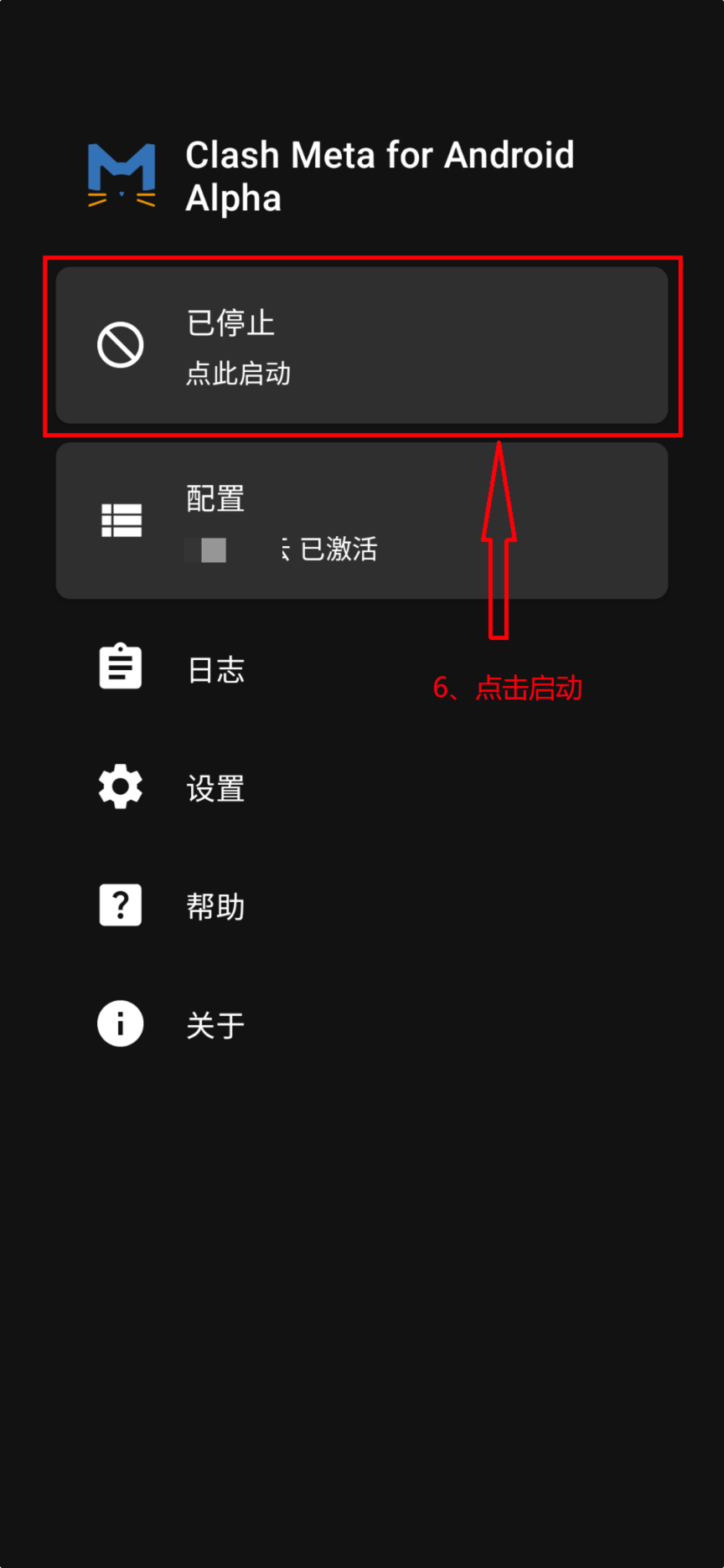
4. Start Proxy
- Click to start the proxy